
Almost every gym or fitness studio in Malaysia starts with a spreadsheet.
It is free, everyone knows how to use it, and you can set it up in an afternoon. A column for names, a column for phone numbers, a column for the plan and another for the renewal date.
For a while, that is all you need.
Then the business grows. A second staff member joins the front desk. Payment screenshots start arriving on three different phones. Month-end reporting turns into a long evening with a calculator.
This article is not here to tell you Excel is bad. It is here to help you work out whether your spreadsheet is still doing its job, or whether it has quietly become the bottleneck.
When Excel Is Perfectly Fine
Let's be honest first. Plenty of fitness businesses run well on a spreadsheet.
Excel is usually enough if:
- You run the business mostly on your own
- You have a small, stable group of members
- One person updates the file
- Renewals are few enough to check by eye
- You rarely need monthly reports
A personal trainer in Penang with 15 regular clients, for example, may never need anything more than a tidy spreadsheet and a calendar.
Keep it simple:If your current process is fast, accurate and nobody is frustrated, there is no prize for switching early.
The question is not "how many members do I have?" It is "how much time and money is the spreadsheet costing me?"
5 Signs Your Spreadsheet Has Stopped Working
These are the most common signs that a gym or studio has outgrown Excel.
1. More Than One Person Edits the File
One staff member updates the copy on the front desk laptop. Another updates a copy sent on WhatsApp last week.
Now you have two versions, and neither is fully correct. Someone's payment gets recorded in one file but not the other.
Shared online spreadsheets help, but rows still get overwritten or sorted by accident.
2. Renewal Dates Sit in a Column Nobody Checks
The renewal date is in the file. The problem is that nobody looks at it until a member's plan has already lapsed.
Filtering by date every morning is possible, but it is the first task that gets skipped on a busy day.
3. Payment Proof Lives in WhatsApp Chats
A member transfers RM150 via DuitNow and sends a screenshot. Two weeks later, they say they already paid.
Your staff now scroll through chat history to find the proof, then check whether it ever made it into Excel.
4. Monthly Reporting Takes an Evening
To answer "how much did we collect this month?" you copy rows, fix formulas and cross-check bank statements.
If reporting takes hours, you probably do it less often, which means you notice problems later.
5. You Can't Answer Simple Questions at the Counter
"When does my membership end?" "Did my payment go through?"
If answering means opening a file, searching, and checking WhatsApp, the member is left waiting at the counter while you dig.
Excel vs Gym Management Software at a Glance
Here is a simple side-by-side comparison. Neither column wins on everything.
| Task | Excel | Gym management software |
|---|---|---|
| Storing a member list | Works well | Works well |
| Spotting renewals due this week | Manual filter or formula | Flagged automatically |
| Payment proof | Screenshots stay in chats | Kept with the payment record |
| Sending reminders | Typed one by one | Can be sent automatically |
| Monthly revenue report | Built by hand | Generated from your records |
| Cost | Free or already paid for | Monthly subscription |
| Setup time | Almost none | An initial import and some setup |

If most of the rows where Excel is slow are part of your daily routine, the subscription cost is likely smaller than the time you are already spending.
Do the maths:Note how many minutes a day go into checking renewals, finding payments and answering "did I pay?" questions. Multiply by working days in a month.
You can also use our admin time calculator to find out how many admin hours you could save each month.
How to Switch Without Losing Your Records
Moving away from Excel does not mean starting from zero. Your spreadsheet is actually the best starting point you have.
01Clean Up the Spreadsheet First
Remove duplicate members, fix phone number formats and delete test rows. Make sure each member is on a single row.
02Standardise Your Columns
Use one column each for name, phone, email, plan, start date and next billing date. Avoid notes like "paid half, balance next week" in the date column.
03Import, Then Spot-Check
Import the cleaned file and check ten members at random against your old records. Fix mistakes now, while the old file is still fresh.
04Run Both for One Billing Cycle
Keep the spreadsheet as a read-only backup for a month. Once a full cycle of renewals and payments has gone smoothly, retire it.
What This Looks Like in VynexFit
VynexFit is a web dashboard built for gyms, fitness studios and personal trainers in Malaysia.
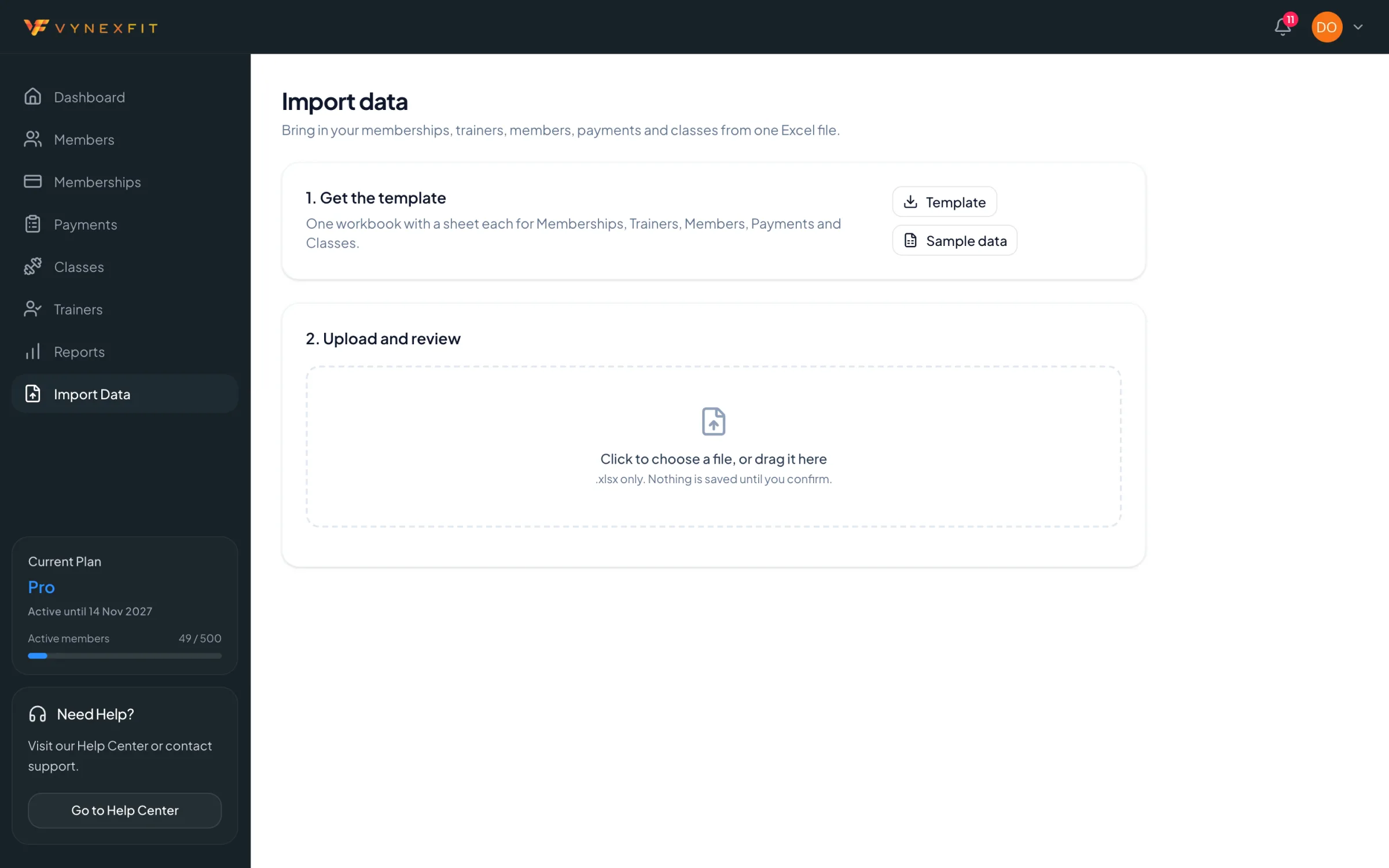
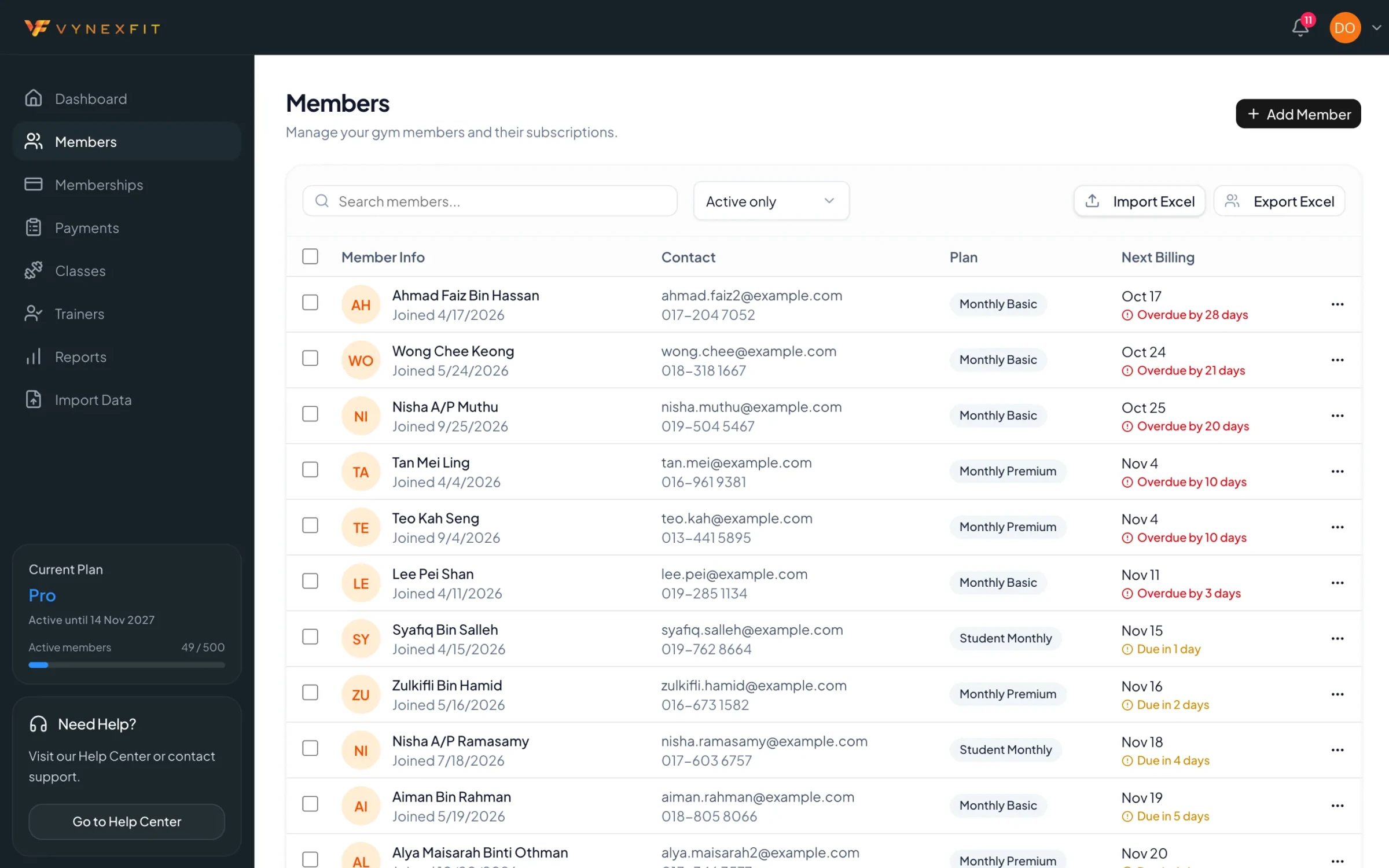
You can import your existing member list from Excel, and export it back to Excel whenever you need a copy.
Each member has a profile with their plan, trainer and next billing date. Members who are overdue or due soon are flagged in colour, so you can see who needs attention without filtering a sheet.
Payments are recorded against each member, and members can pay through a Pay now link and upload their proof of transfer for you to approve. That keeps payment proof out of personal chats.
Every morning, VynexFit sends WhatsApp and email reminders before a membership is due, and once more if it becomes overdue.
You can see how the member list works on the member management page.
FAQ
Is there a member count where I must switch from Excel?
No. Some studios with 200 members manage fine, while some with 60 struggle. The better test is how much time renewals, payments and reports are taking, and how often mistakes happen.
Can I keep using Excel after I switch?
Yes. Many owners still export data to Excel for their own analysis or for their accountant. The difference is that the spreadsheet stops being the place where daily work happens.
Will I lose my member history when I move?
Not if you plan the move. Clean up and import your current members first, keep the old file as a backup, and run both side by side for one billing cycle before retiring the spreadsheet.
Conclusion
Excel is a great tool for getting a fitness business started, and for some small operations it stays the right tool.
When several people edit the file, renewals slip past, payment proof is scattered across chats and reports eat your evenings, the spreadsheet is costing more than it saves.
Switching is less about software and more about having one reliable place for the work you already do every day.