
Reports & analytics
See how your business is really doing
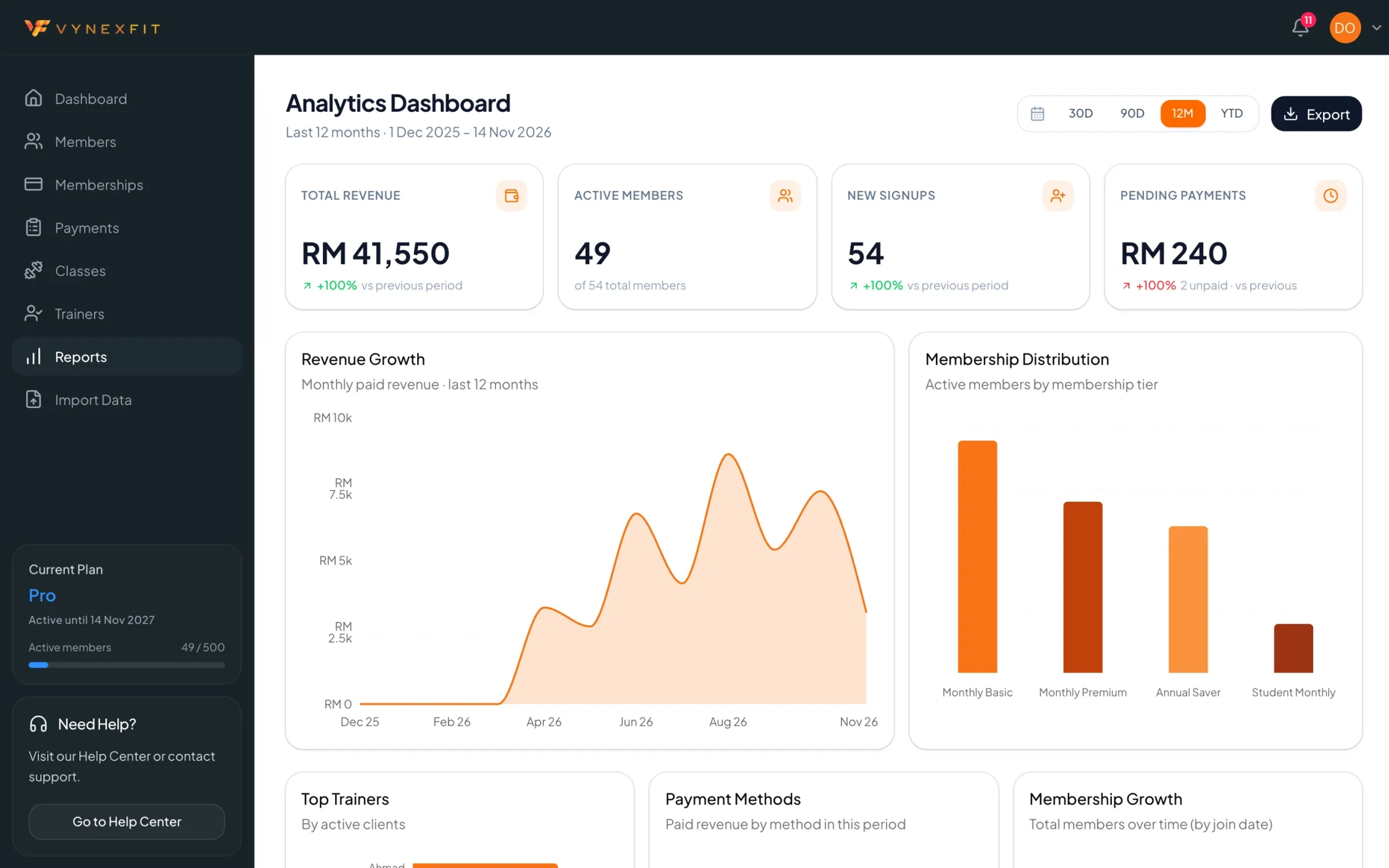
Revenue, active members, sign-ups and pending payments, calculated from your real records and ready whenever you open VYNEXFIT.
 Sample data
The problem
Gut feel isn't a business plan
Without reports, you only find out a month was slow when the rent is due. It's hard to tell whether membership is growing, which plans sell, or how much is still unpaid.
- Revenue worked out at month end
- No view of member growth
- Unpaid amounts unclear
How VYNEXFIT helps
Reports from your everyday records
Because payments, members and plans are already in VYNEXFIT, your reports build themselves. Nothing to compile, nothing to copy across.
In practice · 01
The trends behind the totals
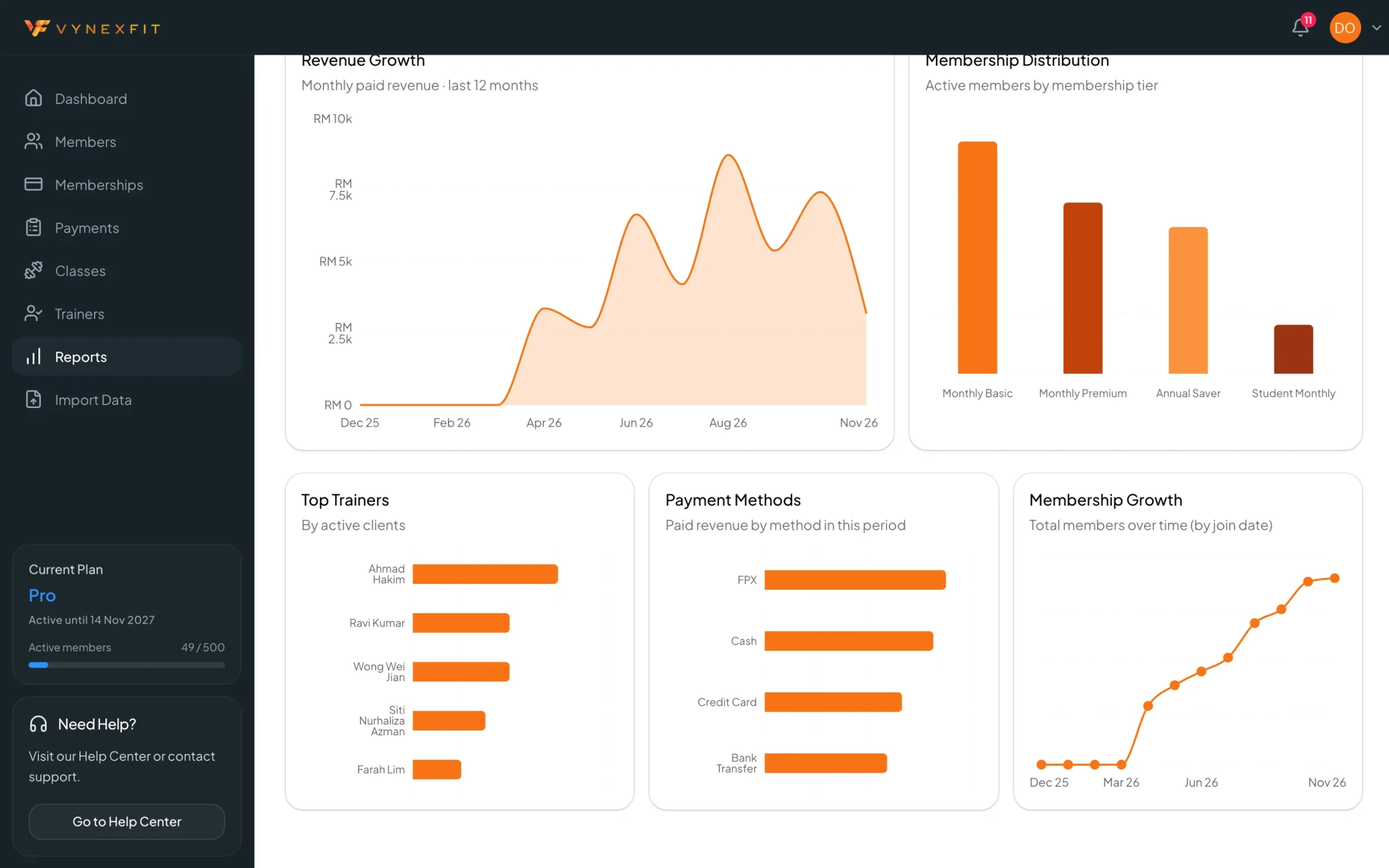
Compare membership distribution by plan, see which trainers have the most active clients, how your members pay, and how your member count has grown over time.
- Membership distribution by plan
- Top trainers by active clients
- Payment methods and member growth
 Sample data
In practice · 02
Today's numbers on the dashboard
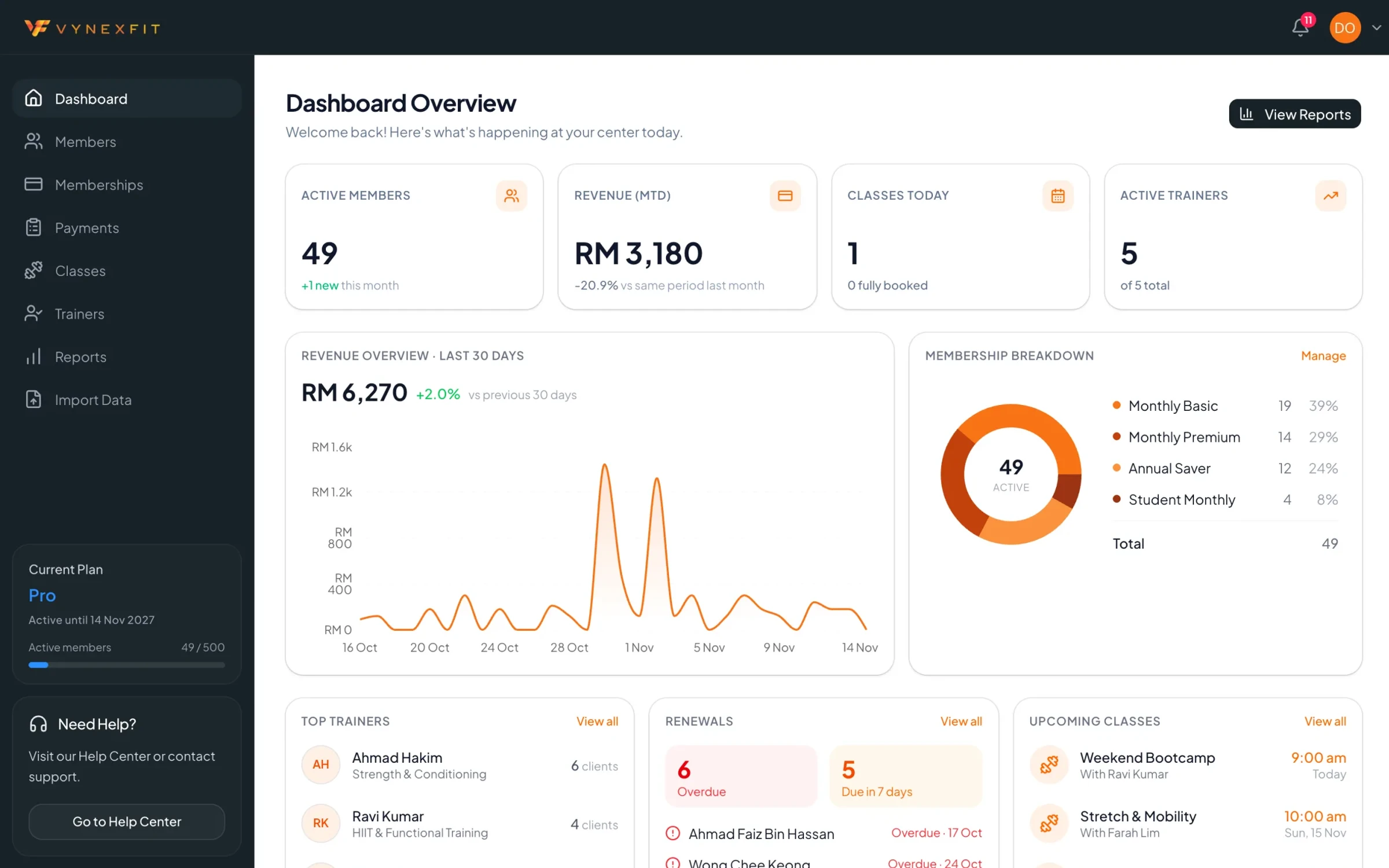
Open VYNEXFIT and see active members, revenue this month compared with the same period last month, classes today and active trainers, plus a 30-day revenue chart.
- Revenue month to date vs last month
- 30-day revenue overview
- Renewals and upcoming classes
 Sample data
How it works, step by step
- 01
Open Reports
Everything is calculated from the members, plans and payments you already record.
- 02
Choose a period
Switch between the last 30 days, 90 days, 12 months or year to date.
- 03
Read the trends
Compare revenue, sign-ups, pending payments and how members are spread across plans.
- 04
Export to Excel
Download the numbers for your accountant or your own planning.
Reports & Analytics
Frequently asked questions

Where does the data come from?
Reports are calculated from the members, plans and payments you record in VYNEXFIT, so they always match your records.
Can I export the numbers?
Yes. Reports and payments can both be exported to Excel.
Can I get a summary without logging in?
Yes. Owners can switch on a daily summary email with yesterday's revenue, overdue members, renewals due in the next seven days and today's classes.
Which time periods can I view?
Reports can show the last 30 days, 90 days or 12 months, or the year to date.
What do I see on the dashboard?
Active members, revenue this month compared with the same period last month, classes today and active trainers, plus a 30-day revenue chart and counts of overdue members and renewals due in the next seven days.
Can I see which trainers have the most clients?
Yes. Reports show top trainers by active clients, alongside membership distribution by plan, payment methods and member growth.
Further reading

How to Price Membership Packages for Your Gym or Fitness Studio in Malaysia
A practical way to price gym and studio memberships in Malaysia, from your cost floor and local competitors to a simple package ladder and price increases.

8 Numbers Every Gym or Studio Owner Should Check Every Month
Active members, renewal rate, overdue fees, class fill rate and more. Eight simple monthly numbers, with easy formulas and what to do when they move.

How Many Admin Hours Could Your Gym Save Each Month? (Free Calculator)
Use our free calculator to see how many hours your gym or studio spends on reminders, payments, receipts and reports, and how much of it you could get back.

Get started
See it with your own business in mind
Book a free demo on WhatsApp and we'll walk you through it, or take the product tour first.