
WhatsApp & email reminders
Renewal reminders that send themselves
Every morning VYNEXFIT checks who is due and sends WhatsApp and email reminders for you: before the due date, and once more if a payment becomes overdue.
 Sample data
The problem
Manual follow-ups don't happen on busy days
Reminding members one by one only works when someone has time. On busy days it gets skipped, members lapse without noticing, and revenue quietly drops.
- Renewals missed on busy days
- Awkward chasing after the due date
- No record of who was reminded
How VYNEXFIT helps
Consistent reminders, every day
Switch on automatic reminders once. VYNEXFIT works out who is due from each member's billing date and sends the reminder with your business name, keeping a log of everything sent.
In practice · 01
Overdue and due-soon members, flagged for you
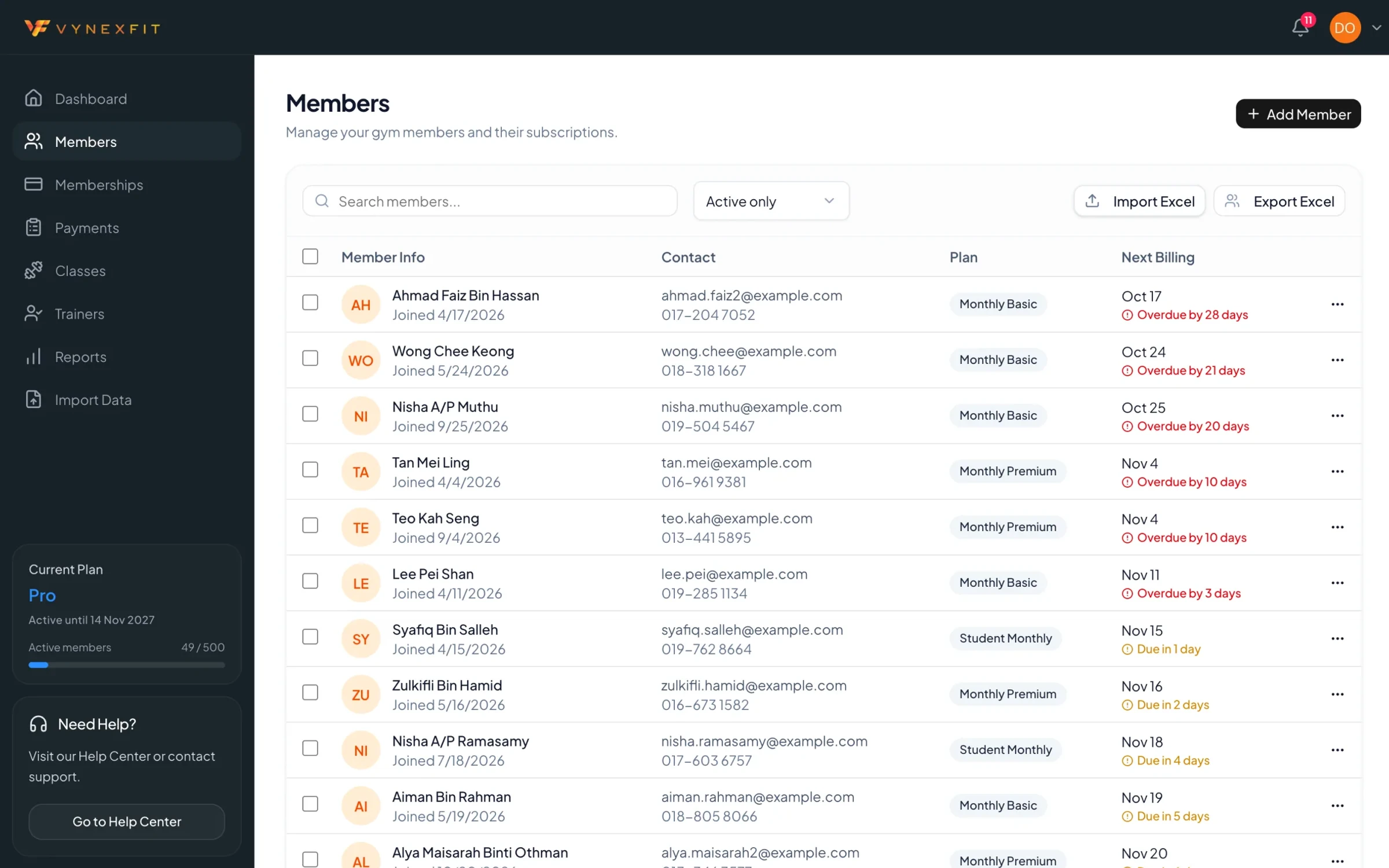
The members list shows how many days each member is overdue, or how soon they're due, so you can see where reminders are going and step in personally when it matters.
- Days overdue shown for each member
- Members due soon highlighted
- Filter to active members
 Sample data
In practice · 02
Renewals on your dashboard every morning
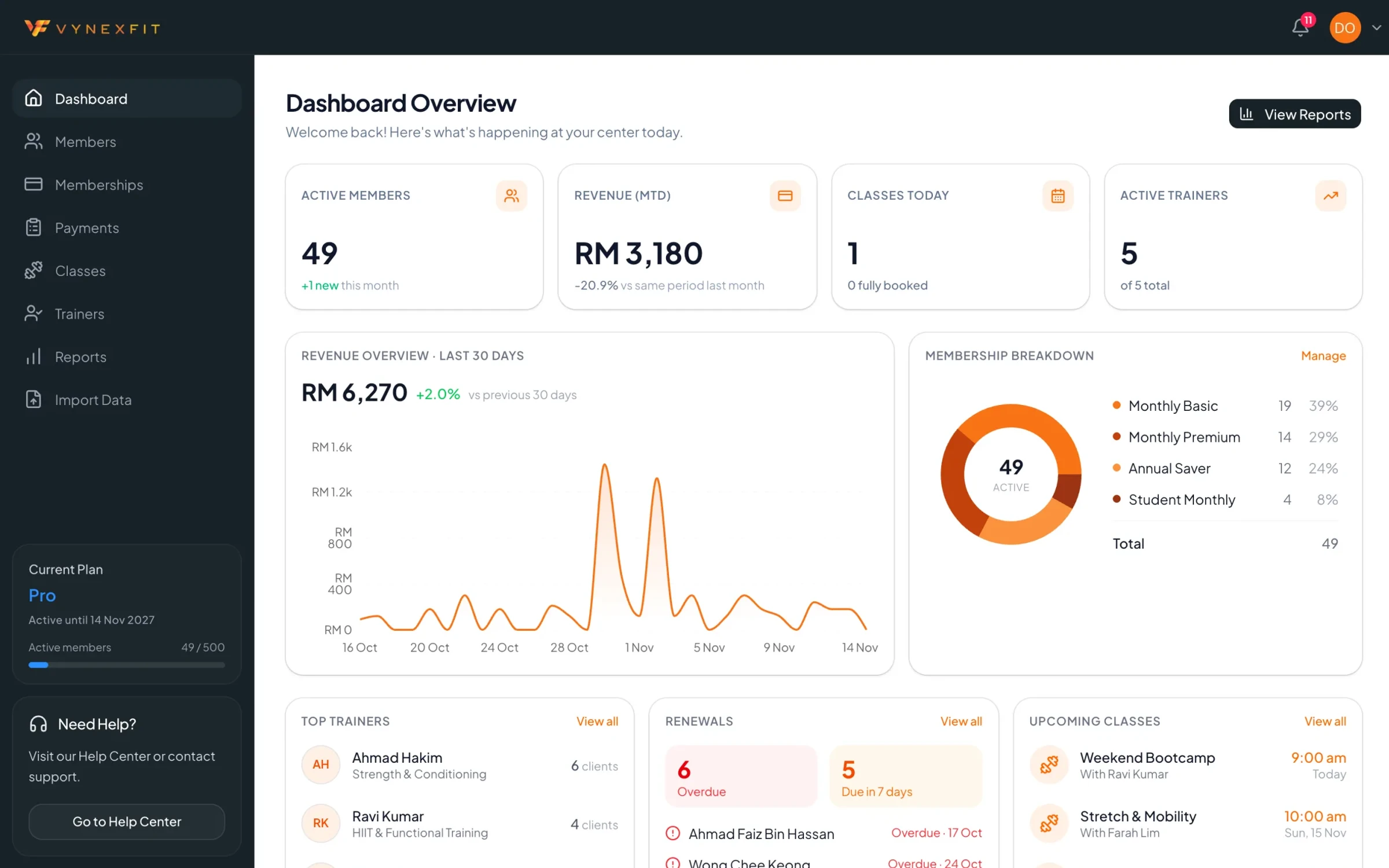
The dashboard counts overdue members and those due in the next seven days. Owners can also opt in to a daily summary email with yesterday's revenue, overdue members, renewals due and today's classes.
- Overdue and due-in-7-days counts
- Daily summary email for owners
- Renewal alerts in the dashboard
 Sample data
How it works, step by step
- 01
Switch on reminders
Turn on automatic reminders and choose WhatsApp, email or both.
- 02
Choose the timing
Pick how many days before the due date the reminder goes out, and whether to send another the day after a payment becomes overdue.
- 03
Reminders go out each morning
Around 9am, VYNEXFIT reminds every member who is due, under your business name.
- 04
Check the log
See the most recent reminders sent to your members in the reminder log.
WhatsApp Reminders
Frequently asked questions

Do I need to set up my own WhatsApp account?
No. VYNEXFIT sends the automatic reminders for you, with your business name in the message, and they're included in your plan.
What do the reminders say?
Each reminder includes the member's name, your business name, their plan, the due date and the amount. When Pay now links are switched on, email reminders also include a Pay now button.
Can I send a reminder myself?
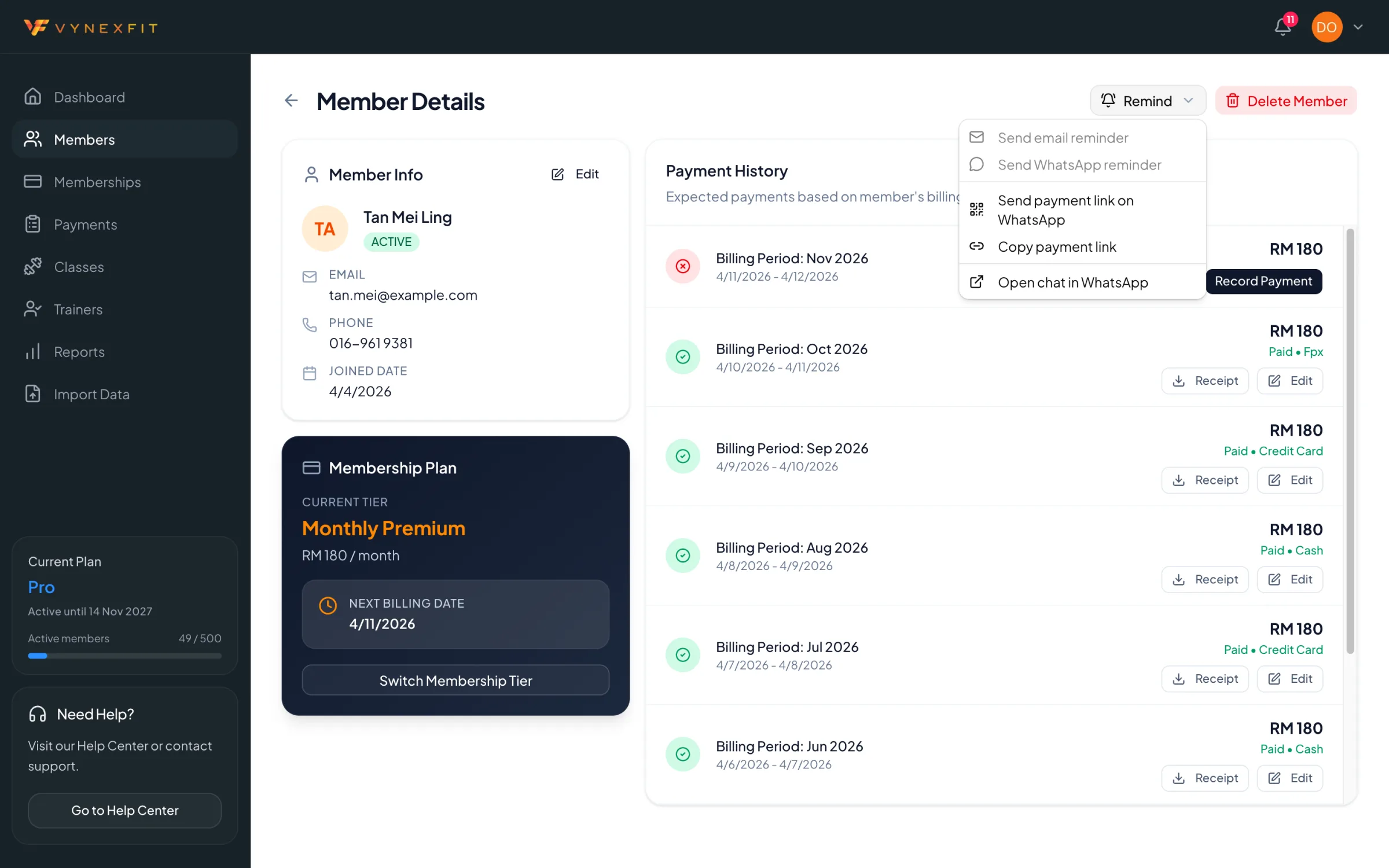
Yes. From a member's profile you can send a reminder, send their Pay now link on WhatsApp, or open a WhatsApp chat with them.
When are the automatic reminders sent?
Around 9am every morning. You choose how many days before the due date the reminder goes out, from 1 to 14 days, and whether to send one more the day after a payment becomes overdue.
Can I send reminders by email too?
Yes. Choose WhatsApp, email or both. Email reminders can include a Pay now button when Pay now links are switched on.
Can I see which reminders were sent?
Yes. The reminder log shows the most recent reminders sent to your members, so you always know who has been reminded.
Further reading

How Personal Trainers Can Manage Clients, Packages and Payments Without the Chaos
Practical ways for independent personal trainers and small PT studios to organise client records, package terms, scheduling, payments and renewals.

8 Numbers Every Gym or Studio Owner Should Check Every Month
Active members, renewal rate, overdue fees, class fill rate and more. Eight simple monthly numbers, with easy formulas and what to do when they move.
WhatsApp Templates for Membership Renewals and Payment Reminders (Ready to Copy)
Eleven ready-to-copy WhatsApp messages for gym and studio renewals, overdue payments, thank-yous and win-backs, plus tips on tone, timing and not spamming.

Get started
See it with your own business in mind
Book a free demo on WhatsApp and we'll walk you through it, or take the product tour first.