
Classes & trainers
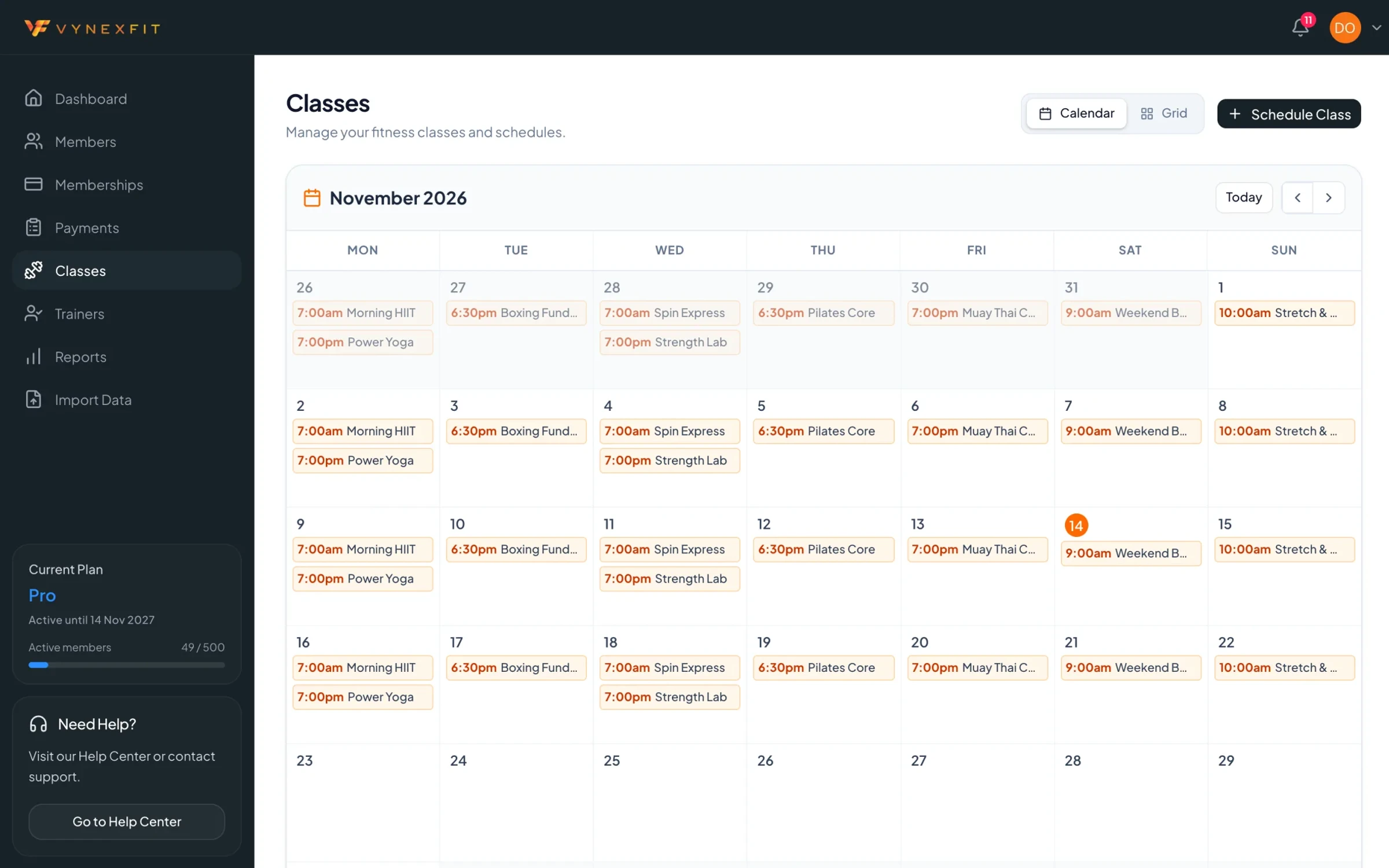
A class timetable your whole team can follow
Put every class on one calendar with its trainer, time and capacity, book members in, and keep your coaching team organised.
 Sample data
The problem
Group-chat timetables don't scale
A timetable posted as an image can't tell you how many people are coming, which trainer is covering, or who still owes for a drop-in class. Changes get lost in the chat.
- No record of who booked which class
- Trainer cover arranged by text message
- Paid drop-ins hard to keep track of
How VYNEXFIT helps
Classes, trainers and bookings together
VYNEXFIT keeps your classes on a calendar, links each one to a trainer, and records which members are booked and whether they've paid.
In practice · 01
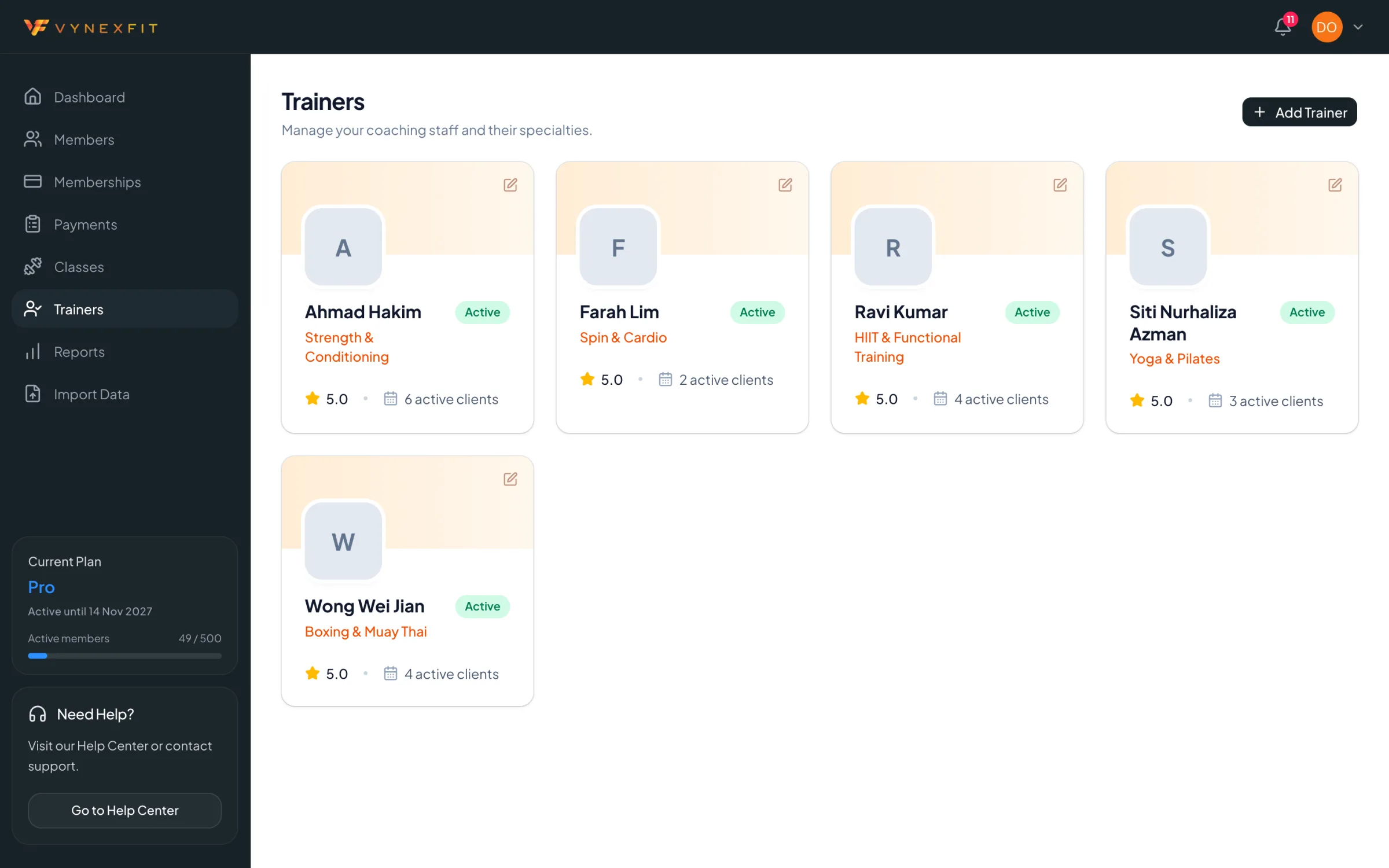
Trainer profiles your team can rely on
Add each trainer with their specialty, from strength and conditioning to Muay Thai, and assign them to members and classes. Every profile shows how many active clients they look after.
- Specialty and status for each trainer
- Assign trainers to members and classes
- Active client count per trainer
 Sample data
In practice · 02
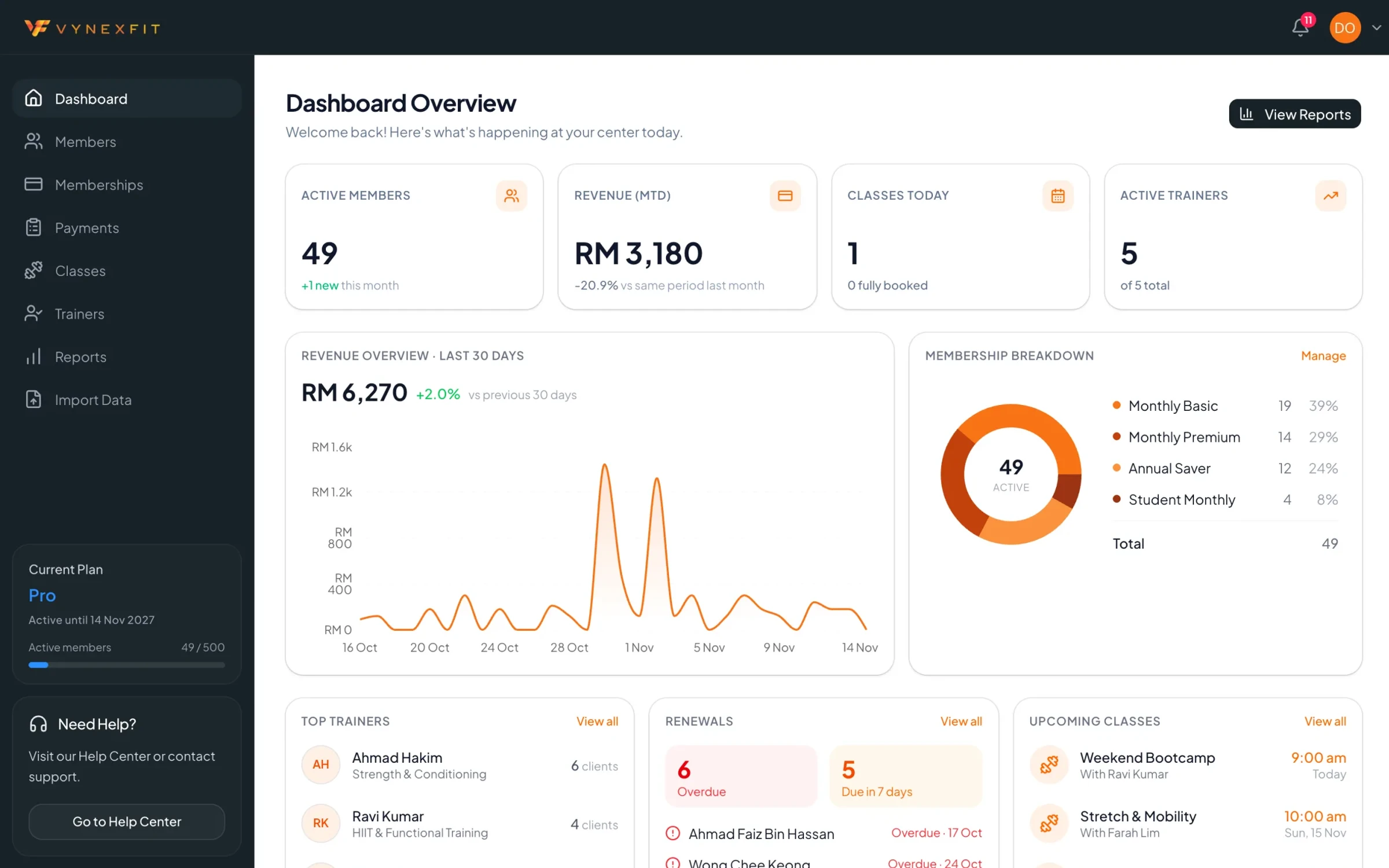
Today's classes on your dashboard
The dashboard lists upcoming classes with their trainer and start time, and counts the classes running today, so you always know what's next.
- Upcoming classes at a glance
- Classes today on the dashboard
- Top trainers by active clients
 Sample data
How it works, step by step
- 01
Schedule a class
Pick the date and time, name the class and add its category and location.
- 02
Assign a trainer and capacity
Choose who's teaching and how many people the class can take.
- 03
Book members in
Add members to the class and mark each booking as free, unpaid or paid.
- 04
Import a regular timetable
Running the same classes every week? Bring the whole timetable in from the Excel template.
Classes & Trainers
Frequently asked questions

Can members book classes themselves?
Not yet. Bookings are made by your team in VYNEXFIT, so members don't need to install anything.
Do classes repeat automatically every week?
Classes are scheduled individually. To set up a regular timetable quickly, import your classes from the Excel template.
Can I charge for a class?
Yes. A class can be free or paid with its own price, and each booking can be marked free, unpaid or paid.
Can I limit how many people join a class?
Yes. Each class has a capacity, along with its trainer, time and location.
Can I record each trainer's specialty?
Yes. Every trainer profile has a specialty, such as strength and conditioning or Muay Thai, and a status, and shows how many active clients they look after.
How do I see today's classes?
The dashboard lists upcoming classes with their trainer and start time, and counts the classes running today. You can also view your timetable as a calendar or a grid.
Further reading

How to Organise Class Schedules and Trainers in a Yoga, Pilates or Fitness Studio
Build a studio timetable around demand, set class capacity, plan trainer cover, handle drop-ins and review which classes fill, with practical examples.

How Personal Trainers Can Manage Clients, Packages and Payments Without the Chaos
Practical ways for independent personal trainers and small PT studios to organise client records, package terms, scheduling, payments and renewals.

How to Move Your Member List from Excel to a Gym Management System
A step-by-step guide to cleaning, importing and checking your gym or studio member list when you move from Excel or a notebook to a management system.

Get started
See it with your own business in mind
Book a free demo on WhatsApp and we'll walk you through it, or take the product tour first.