
Member management
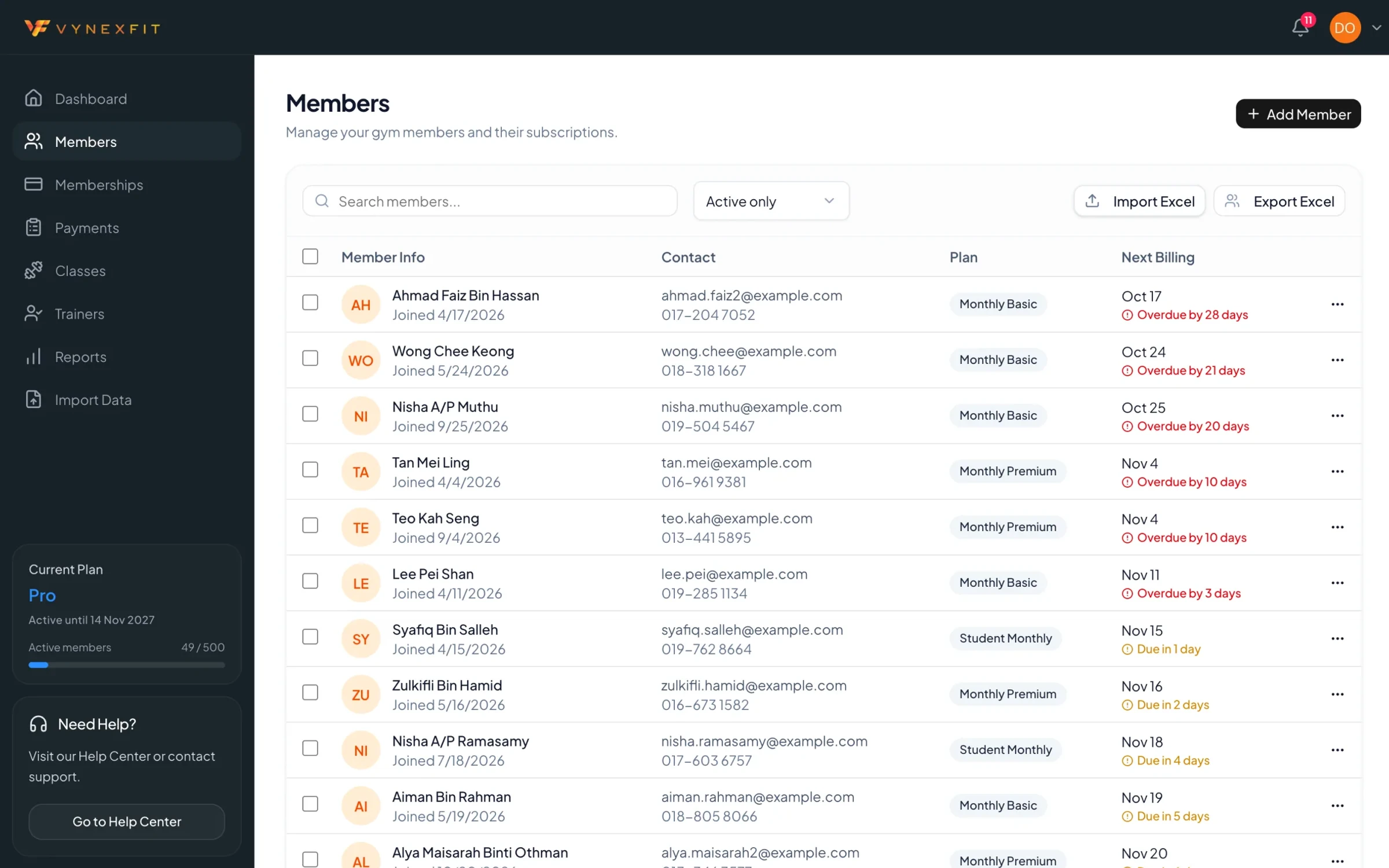
Every member, in one place you can actually search
Profiles, plans, trainers and billing dates live together, so you can answer "is this member paid up?" in seconds instead of scrolling through spreadsheets.
 Sample data
The problem
Member records shouldn't live in five places
Most gyms, studios and coaches start with a spreadsheet, a notebook at the front desk and a long WhatsApp history. Over time the details drift apart: a phone number changes in one place, a plan upgrade isn't written down, and nobody is quite sure who is still active.
- Hard to tell who is active, overdue or has stopped coming
- Emergency contacts missing when you need them
- Hours lost re-typing data into new sheets
How VYNEXFIT helps
One member record that everything else uses
In VYNEXFIT each member has a single profile that payments, reminders, classes and reports all read from. Update it once and it's correct everywhere.
In practice · 01
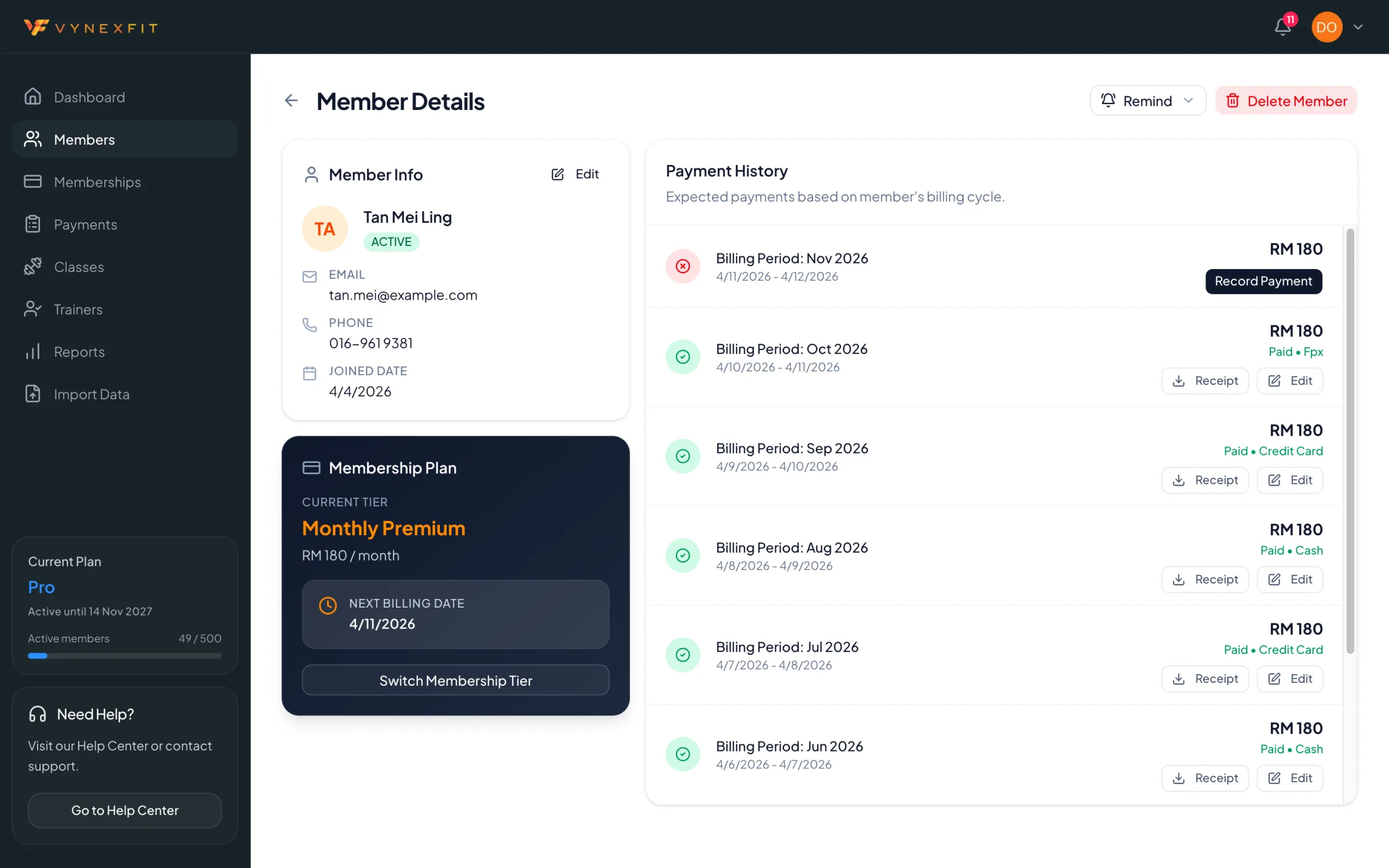
A full profile for every member
Store contact details, IC number, date of birth and emergency contact, along with the member's plan, trainer and joining date. Each profile also shows a month-by-month payment history with a downloadable receipt for every paid period.
- Billing periods marked paid or unpaid
- PDF receipt for each payment
- Change plan with Switch Membership Tier
 Sample data
In practice · 02
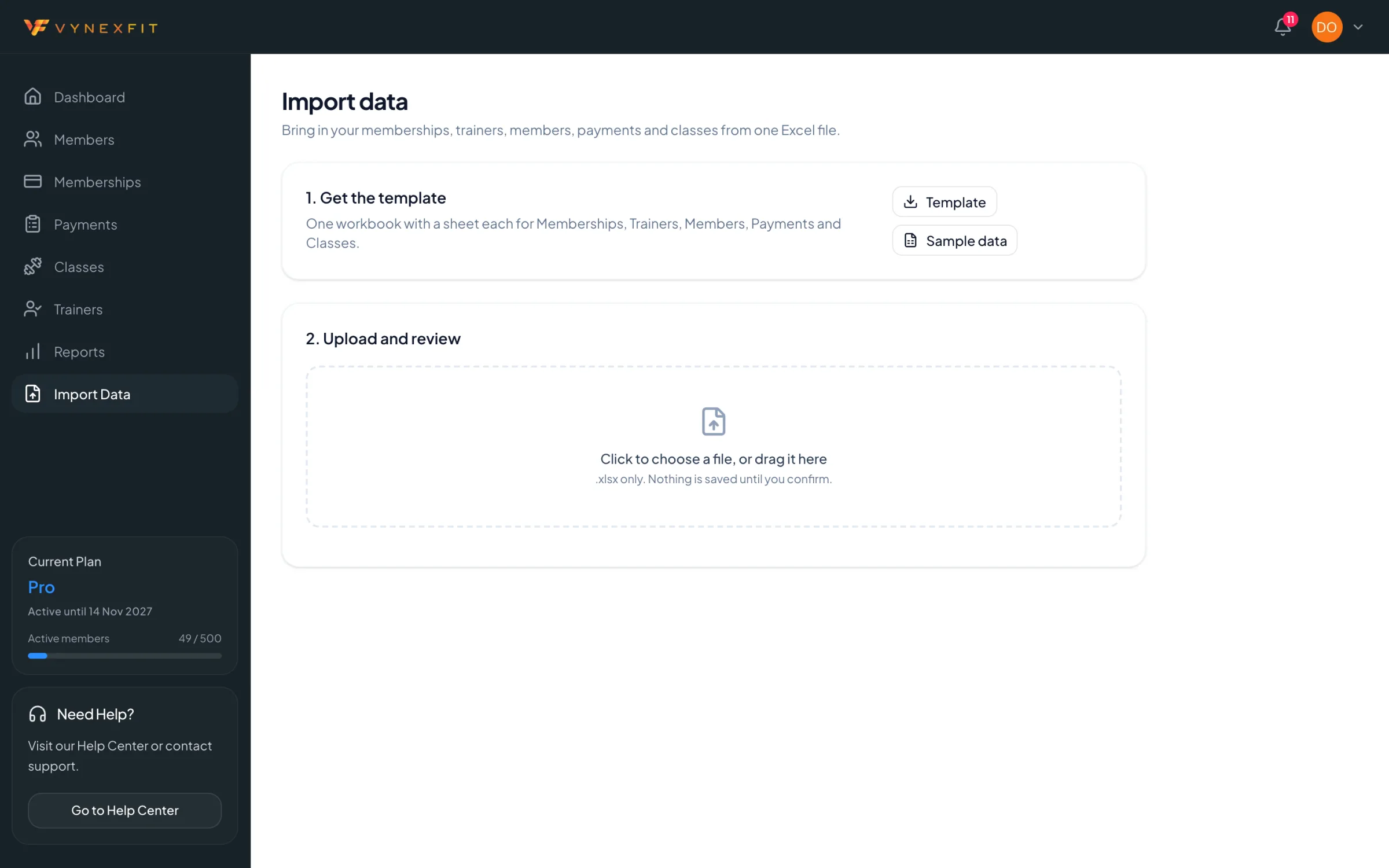
Bring your existing members with you
Moving from spreadsheets? Download the Excel template, fill in your memberships, trainers, members, payments and classes, and upload a single workbook. VYNEXFIT checks every row first and saves nothing until you confirm.
- One workbook for all your data
- Every row checked before it's saved
- PDPA consent confirmed on import
 Sample data
How it works, step by step
- 01
Add or import members
Add members one by one, or import your whole list from Excel.
- 02
Assign a plan and trainer
Choose each member's membership plan and, if you like, the trainer who looks after them.
- 03
Record PDPA consent
Tick the consent box so you have a record that the member agreed to their details being stored.
- 04
Search and update anytime
Find any member by name or contact details, update their profile, or export the list to Excel.
Member Management
Frequently asked questions

Can I import my existing member list?
Yes. Use the Excel template on the Import Data page to bring in memberships, trainers, members, payments and classes in one workbook. VYNEXFIT checks every row before anything is saved.
Is there a limit on how many members I can add?
The Standard plan includes unlimited members.
What happens when a member stops coming?
Mark them as inactive. Their profile and payment history are kept, and you can filter them out of your active member list.
Can I store emergency contacts and IC numbers?
Yes. Each profile stores contact details, IC number, date of birth and an emergency contact, along with the member's plan, trainer and joining date.
How do I find overdue members quickly?
The members list highlights overdue and due-soon billing dates in colour and shows how many days each member is overdue. You can also search by name or contact details and filter active or inactive members.
Can I export my member list?
Yes. Export your member list to Excel at any time, for example to share with your accountant or keep your own copy.
Further reading

How to Move Your Member List from Excel to a Gym Management System
A step-by-step guide to cleaning, importing and checking your gym or studio member list when you move from Excel or a notebook to a management system.

How to Price Membership Packages for Your Gym or Fitness Studio in Malaysia
A practical way to price gym and studio memberships in Malaysia, from your cost floor and local competitors to a simple package ladder and price increases.

8 Numbers Every Gym or Studio Owner Should Check Every Month
Active members, renewal rate, overdue fees, class fill rate and more. Eight simple monthly numbers, with easy formulas and what to do when they move.

Get started
See it with your own business in mind
Book a free demo on WhatsApp and we'll walk you through it, or take the product tour first.