
Membership plans
Membership plans that match how you actually sell
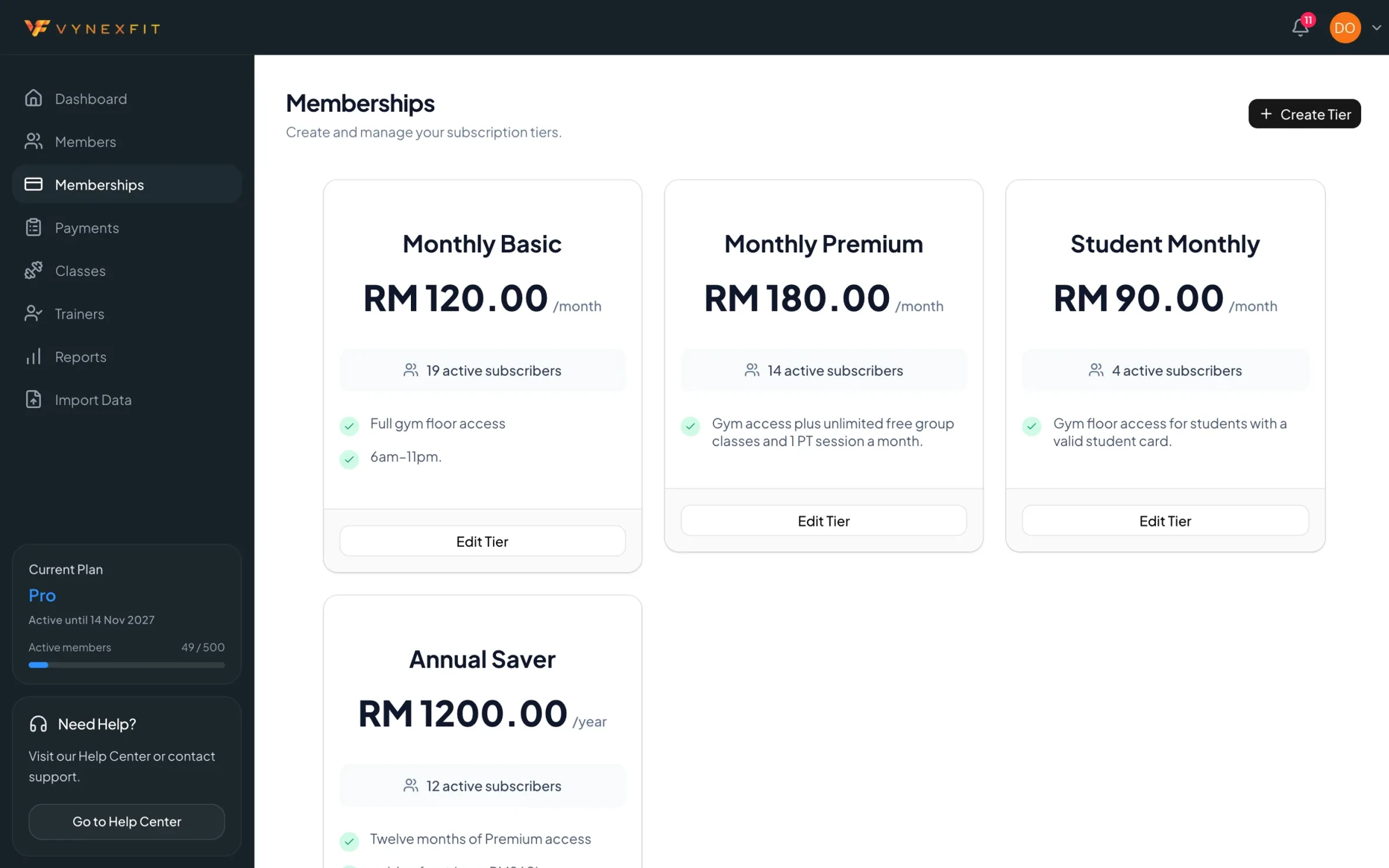
Set up monthly, yearly and student plans with your own prices, then see how many members are on each and exactly when every one of them is due.
 Sample data
The problem
Renewal dates are easy to lose track of
When plans live on a price list on the wall, it's hard to know which plan each member is on and when they're due again. Renewals slip, and members on old prices stay there by accident.
- No clear view of who is on which plan
- Due dates worked out by hand
- No idea which plans actually sell
How VYNEXFIT helps
Plans and billing dates, connected
Each plan has a price and a billing cycle. Every member on it has a next billing date that moves forward when their payment is recorded, so you always know who is paid up and who is due.
In practice · 01
Every member's billing date, always current
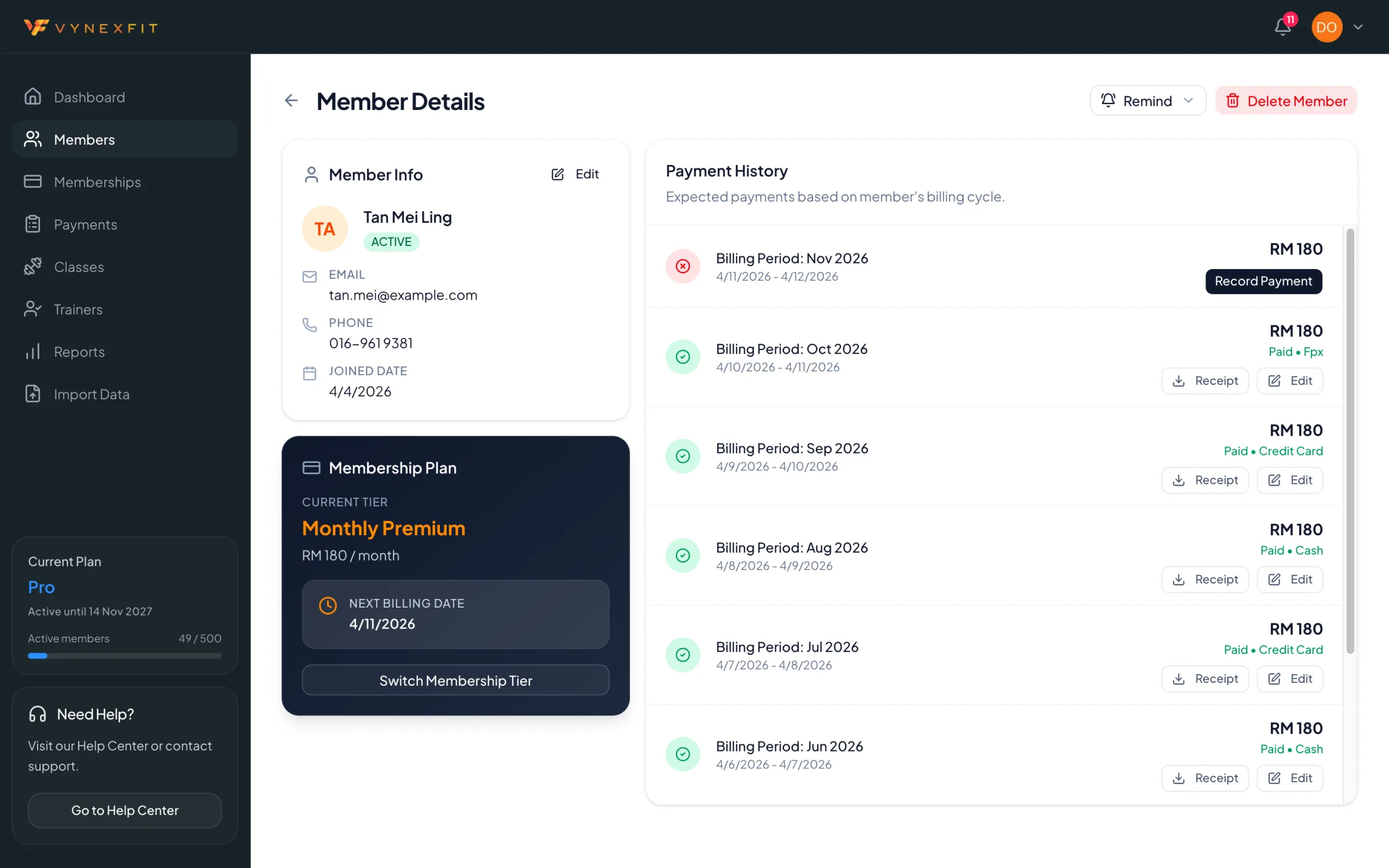
A member's profile shows their plan, price and next billing date. When you record a payment, the billing date can move forward to the next period automatically. Need to upgrade someone? Switch their plan from the same screen.
- Current plan and price on every profile
- Next billing date shown clearly
- Upgrade or downgrade in one step
 Sample data
In practice · 02
See which plans are working
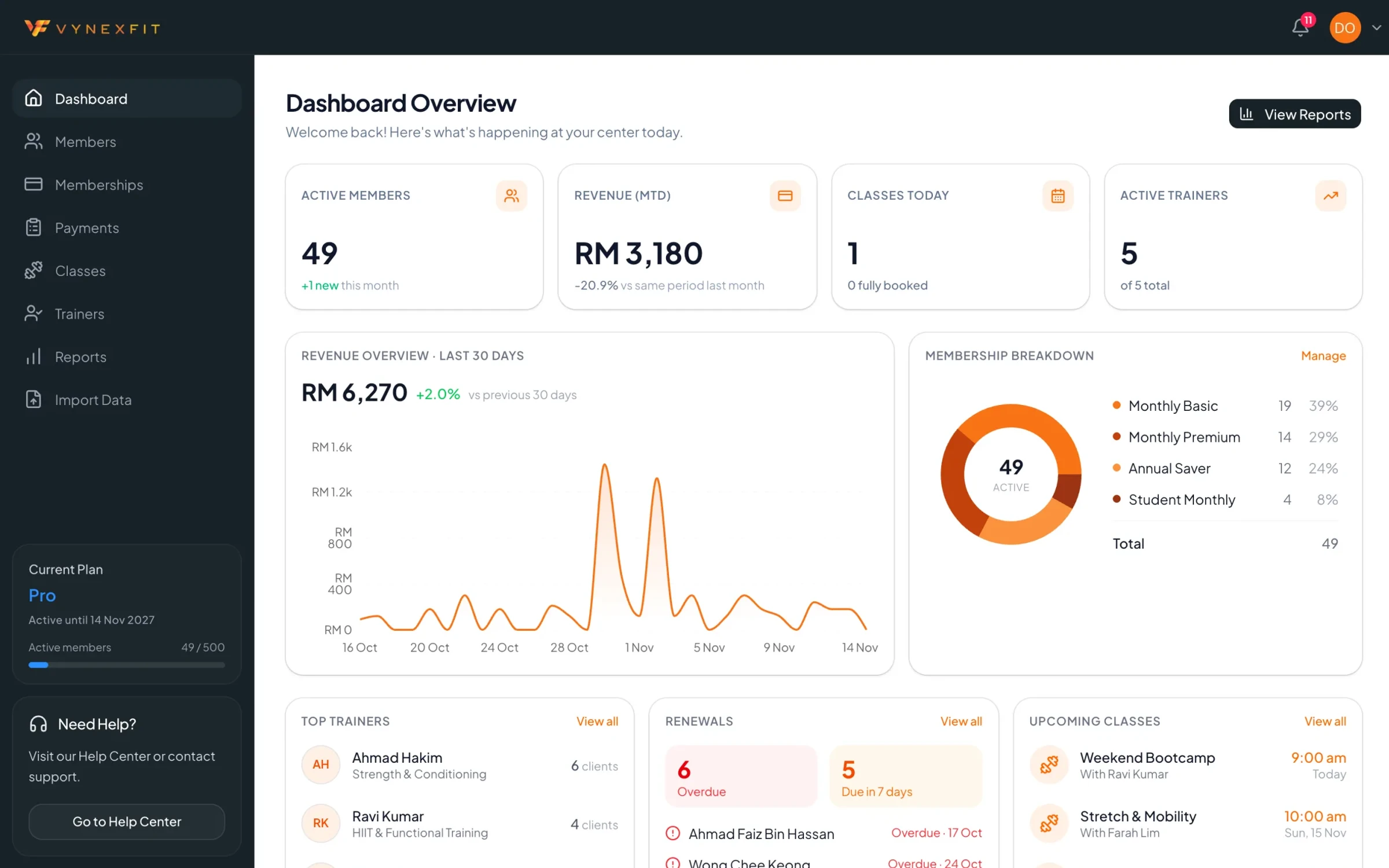
The dashboard breaks down active members by plan, so you can see at a glance whether your premium plan is growing or your student plan needs a push.
- Membership breakdown on the dashboard
- Distribution by plan in Reports
- Spot plans that need promoting
 Sample data
How it works, step by step
- 01
Create your plans
Give each plan a name, a price in RM, a monthly or yearly billing cycle and a short description.
- 02
Put members on a plan
Choose the plan when you add a member, or switch it later from their profile.
- 03
Record payments
Each payment can move the member's billing date forward to the next period.
- 04
Review your mix
Check the membership breakdown to see how many active members each plan has.
Membership Plans
Frequently asked questions

Which billing cycles can I use?
Plans can be billed monthly or yearly, each with its own RM price and a description of what's included.
Can a member change plans?
Yes. Open the member's profile and use Switch Membership Tier.
Can I pause or freeze a membership?
Not yet. For now you can mark a member as inactive and make them active again when they return.
Can I offer student or promo plans?
Yes. Create as many plans as you need, such as a student plan or an annual saver, each with its own RM price, billing cycle and description.
How is a member's next billing date worked out?
Each member has a next billing date based on their plan. When you record or approve a payment, the billing date can move forward to the next period automatically.
Can I see how many members are on each plan?
Yes. Every plan shows its active subscriber count, and the dashboard and Reports break down active members by plan.
Further reading

How Personal Trainers Can Manage Clients, Packages and Payments Without the Chaos
Practical ways for independent personal trainers and small PT studios to organise client records, package terms, scheduling, payments and renewals.

How to Price Membership Packages for Your Gym or Fitness Studio in Malaysia
A practical way to price gym and studio memberships in Malaysia, from your cost floor and local competitors to a simple package ladder and price increases.

8 Numbers Every Gym or Studio Owner Should Check Every Month
Active members, renewal rate, overdue fees, class fill rate and more. Eight simple monthly numbers, with easy formulas and what to do when they move.

Get started
See it with your own business in mind
Book a free demo on WhatsApp and we'll walk you through it, or take the product tour first.